
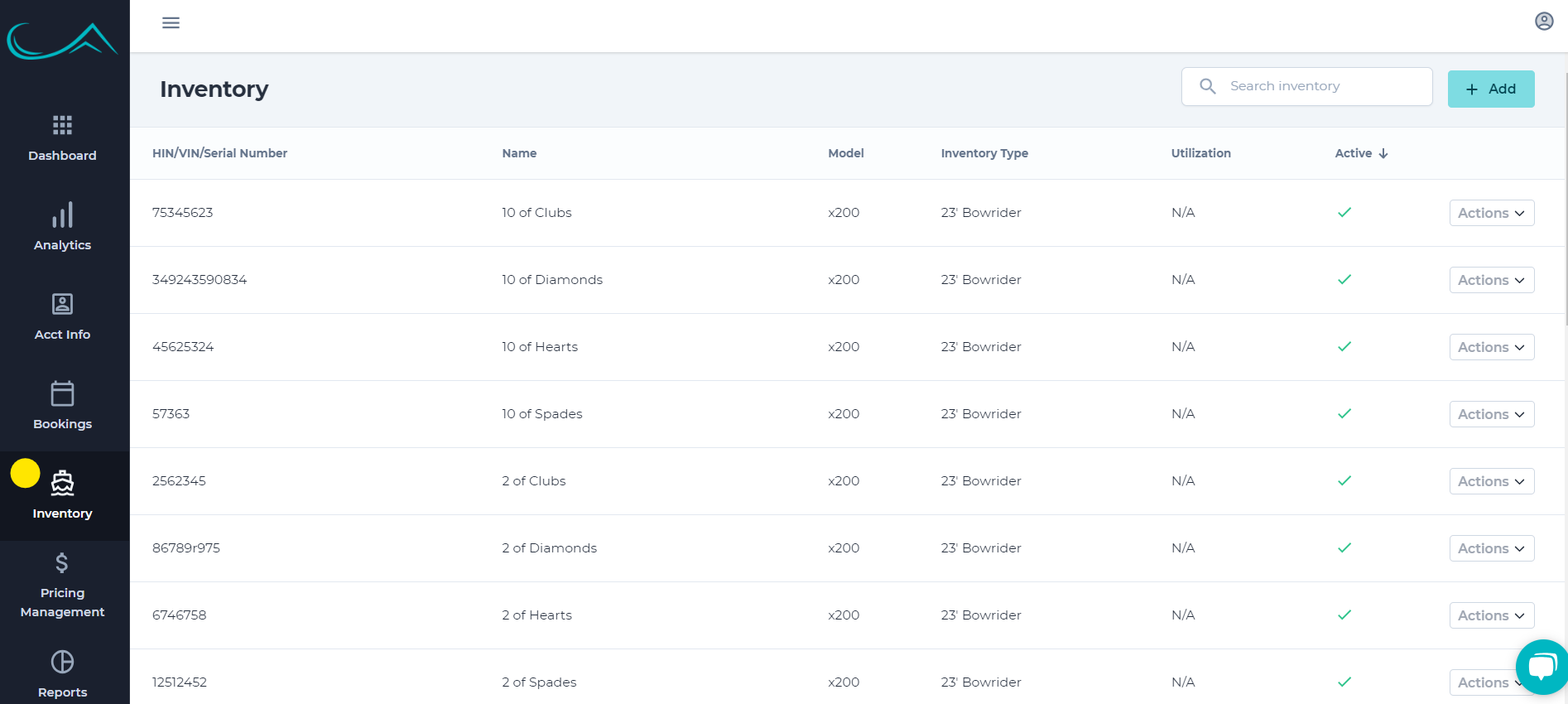
1. Login to your admin portal in your vQuip account and go to the "Inventory" tab on the left side of the screen
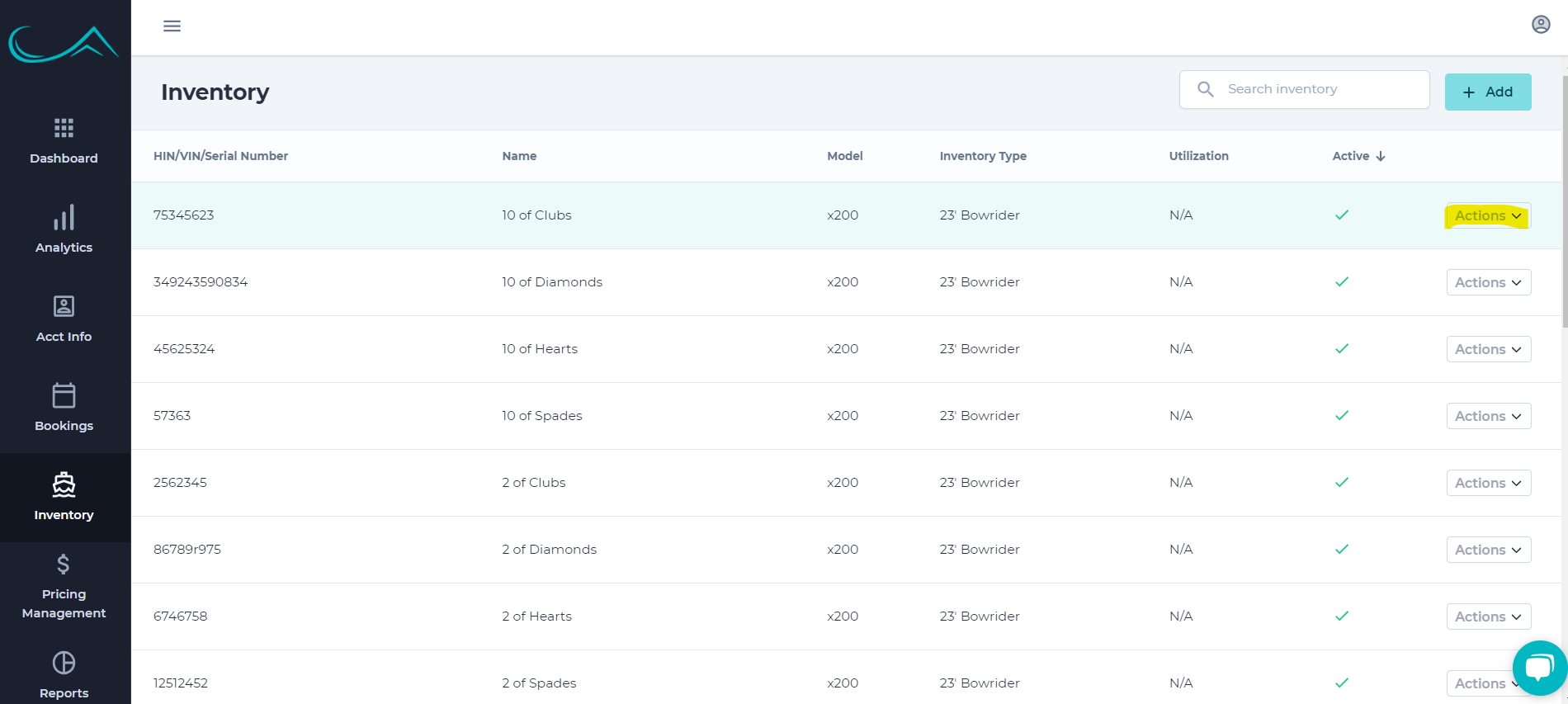
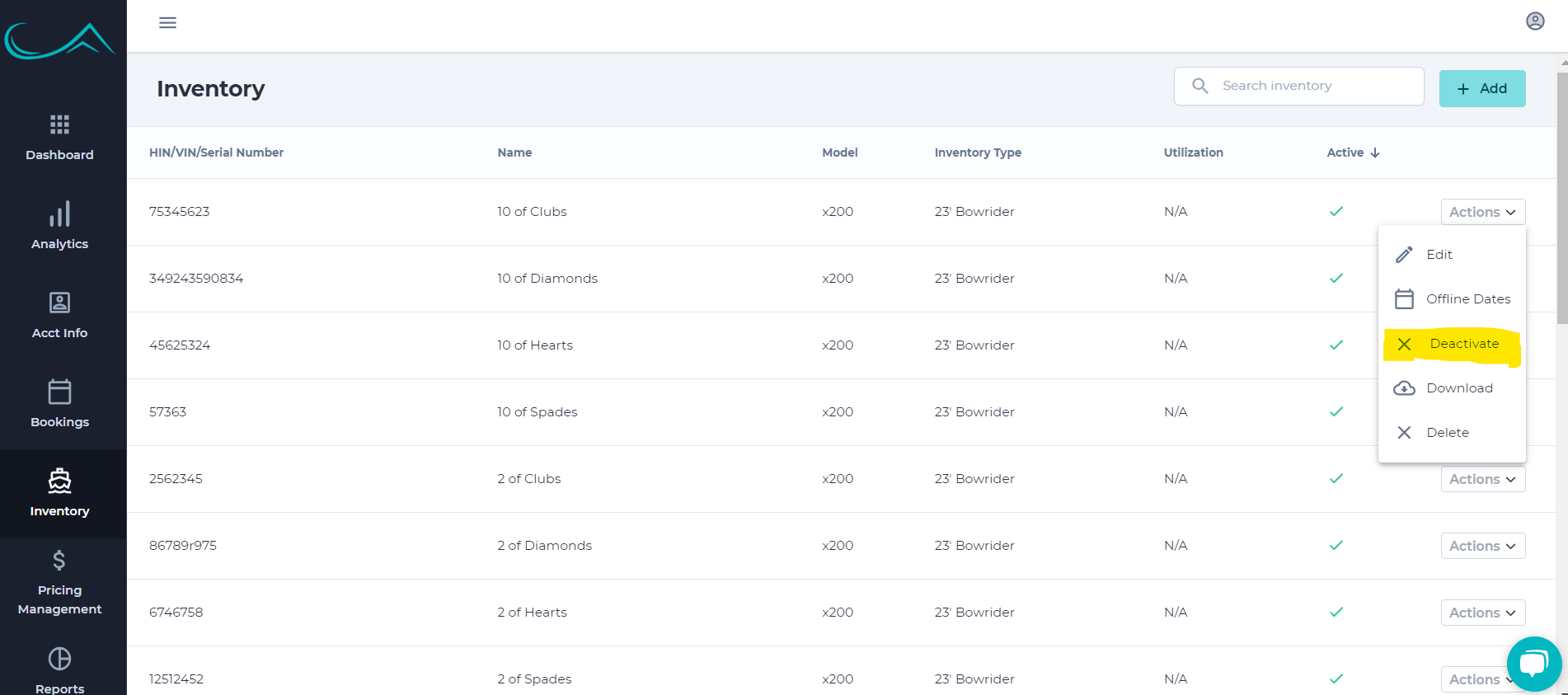
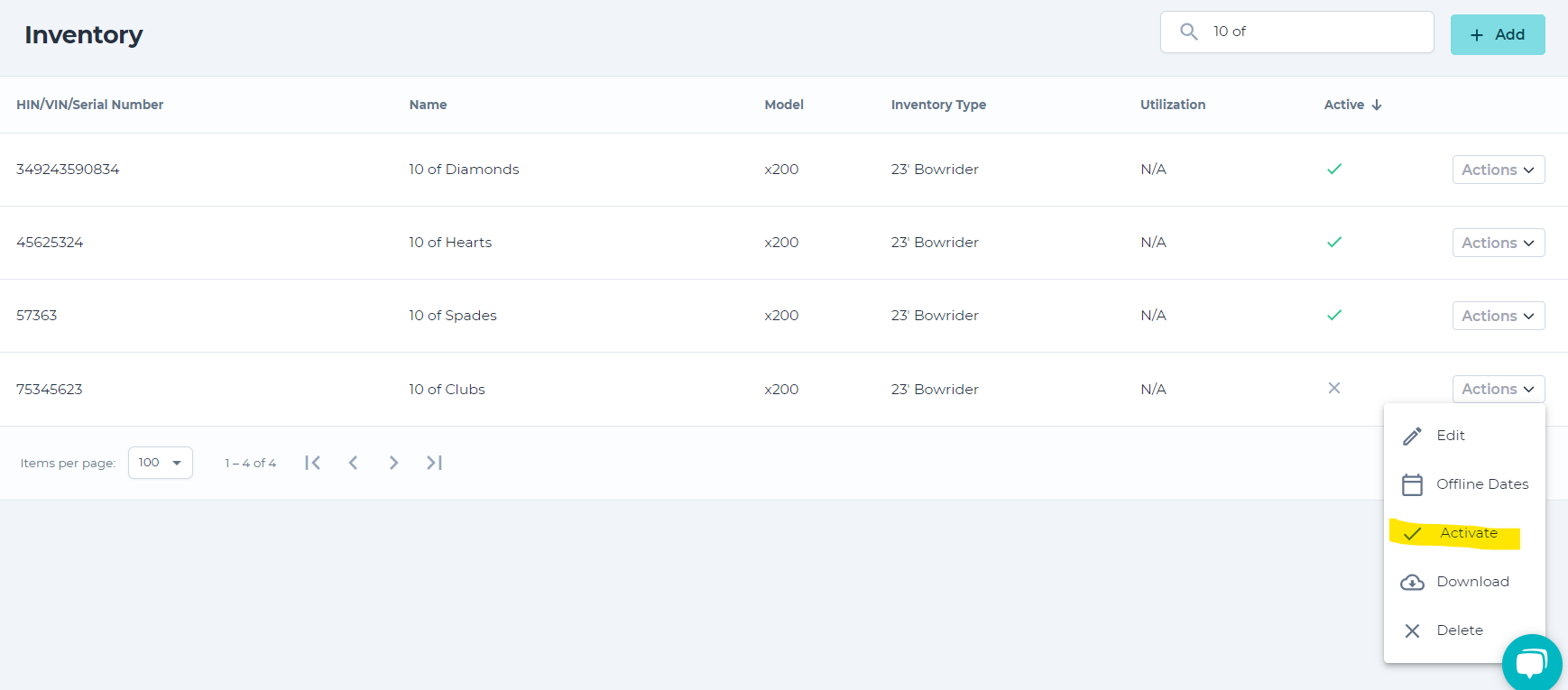
2. Click "Actions" next to the vessel you would like to deactivate and select "Deactivate"
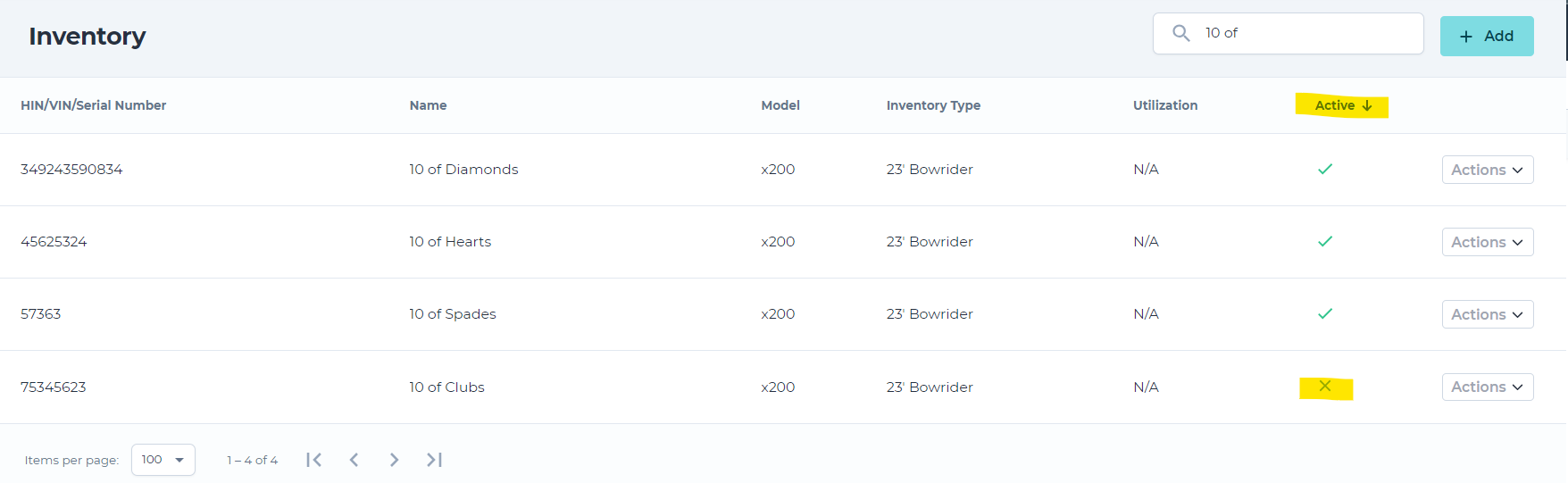
3. You will now notice that the product now has an 'X' beside of it rather than a check mark, signifying that it is currently offline and unavailable to be booked.
4. When you want to reactivate, simply follow the same steps and select "Activate" vs. "Deactivate" and it will come back online instantly and have a check beside of the product once again.
NOTE: make sure if the vessel will be offline for an extended period of time to make sure no existing reservations booked with that vessel will be affected! The system does not randomly reassign or rebook to another vessel if one is taken offline or deactivated!